
Sheet List
Location on ribbon: Tab DVD Addin → Group View and Sheets
Command ID: btnSheetList
What it does
Creates (or refreshes) a sheet named Mucluc that lists every visible sheet in the workbook, with a hyperlink to each sheet and a back-link on every sheet pointing to the index.
It is the fastest way to put a cover page on a multi-sheet submission: quantity take-offs split by work package, rebar schedules one sheet per element, or a folder of inspection records with one sheet per activity.
How to use
- Open the workbook you want to index.
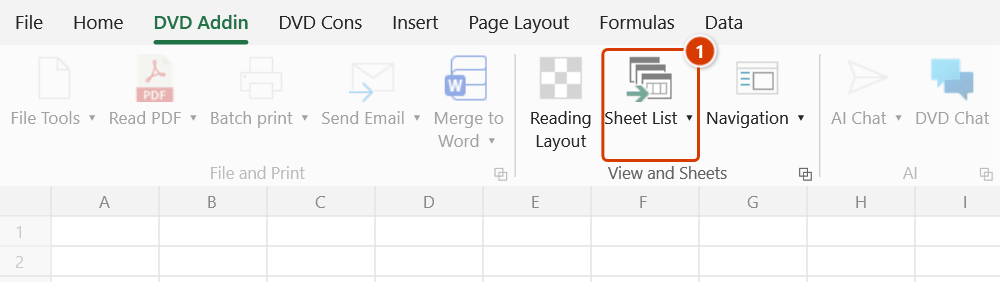
- Go to tab DVD Addin → group View and Sheets → Sheet List.
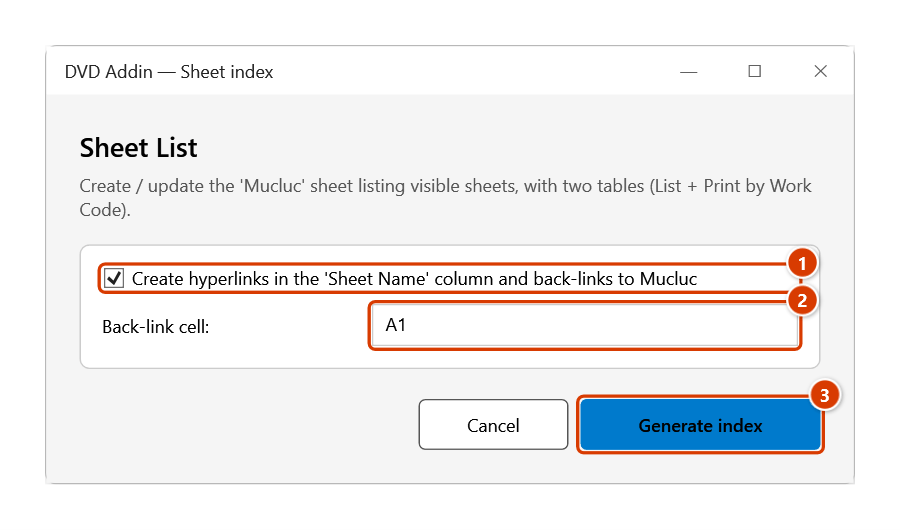
- The DVD Addin — Sheet index window appears with two options:
- The checkbox "Create hyperlinks in the 'Sheet Name' column and back-links to Mucluc" — enabled by default.
- The "Back-link cell:" box — defaults to
A1; this is the cell on each sheet that will hold the link back toMucluc!A1.
- Change the back-link cell if
A1already holds data (for example useH1). - Click Generate index (or Cancel to exit).
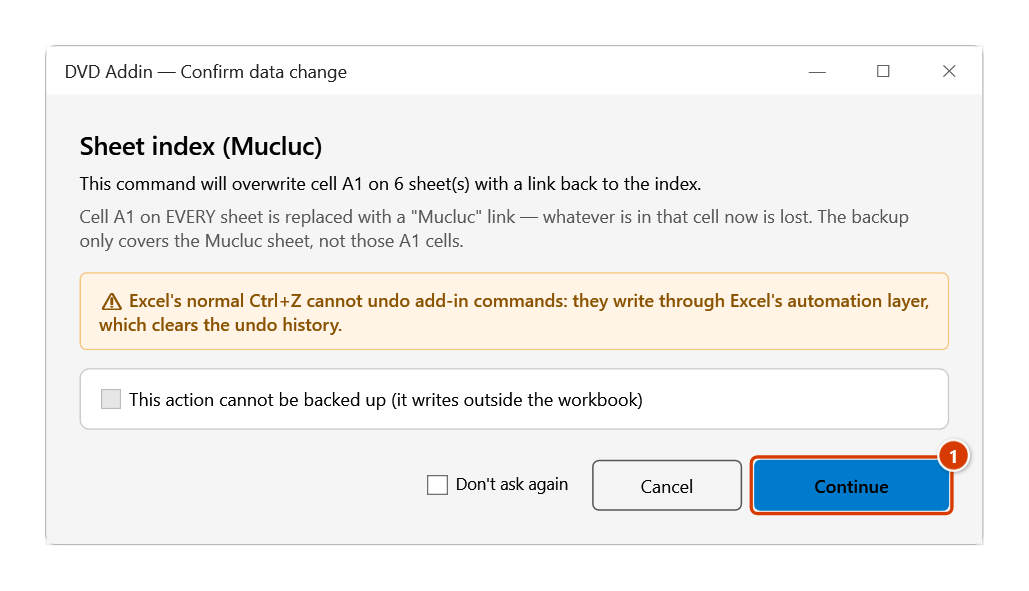
- With hyperlinks on (or when Mucluc already holds an old list), the Confirm data change window states on how many sheets the back-link cell will be overwritten (and how many old index rows will be cleared). Click Continue.
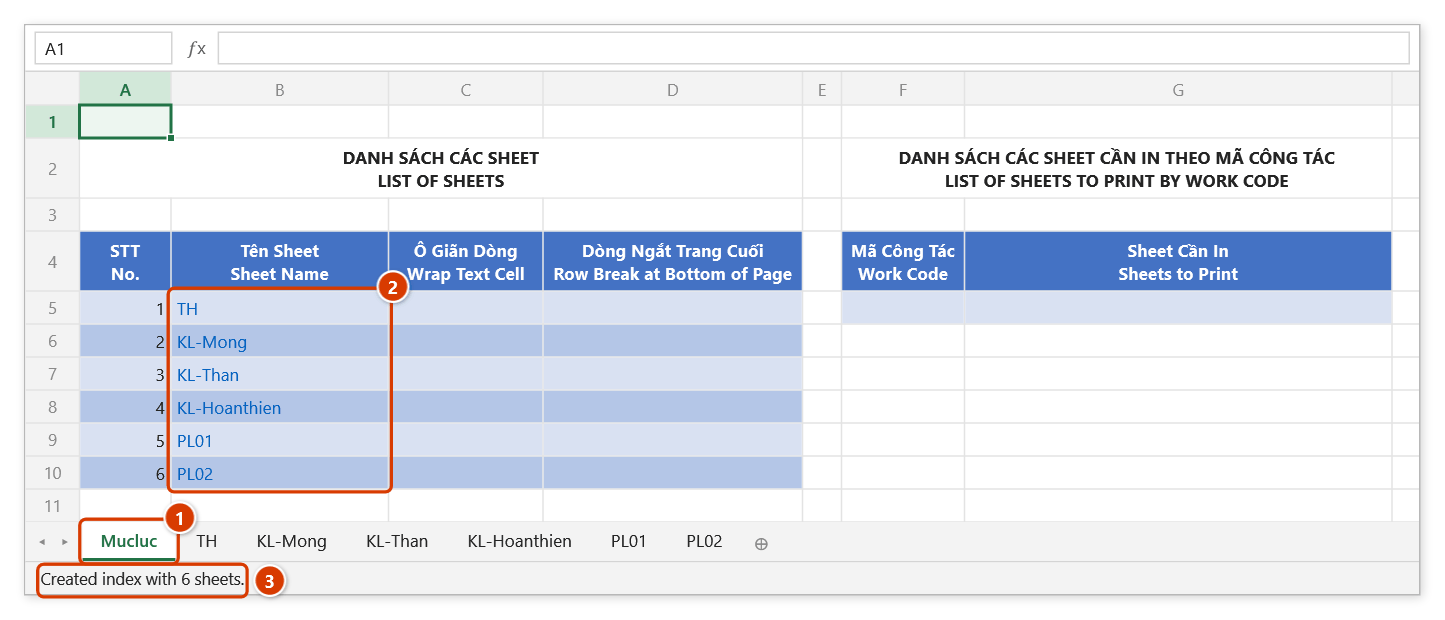
- The Mucluc sheet is created or refreshed with two tables: on the left LIST OF SHEETS (columns No., Sheet Name, Wrap Text Cell, Row Break at Bottom of Page) and on the right LIST OF SHEETS TO PRINT BY WORK CODE (Work Code, Sheets to Print).
Video tutorial
Narrated in Vietnamese, with Vietnamese subtitles. Danh sách Sheet · 6 min 08 s · 9 cases · Download the video · Practice workbook for the video
Chapters (14)
- Giới thiệu
- Mở lệnh
- Cửa sổ Tạo mục lục
- 1 · Mục lục đầu tiên
- 2 · Ô A1 đang có tiêu đề
- 3 · Tên có dấu cách, có dấu
- 4 · Chỉ lấy danh sách tên
- 5 · Sheet ẩn, sheet biểu đồ
- 6 · Các cột tự điền
- 7 · Chạy lại sau khi chèn sheet
- 8 · Hoàn tác bằng Ctrl+Z
- 9 · Khi lệnh không làm gì
- Mẹo
- Kết thúc
Illustrated walkthrough
Practice
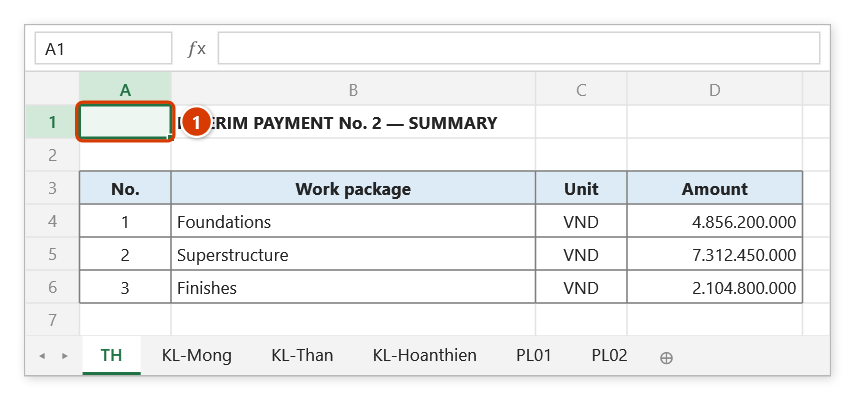
Download this command's sample workbook — the data matches the pictures below (sheet TH), so you can follow each step right away.
Step 1. Open the workbook to index. The link back to the index is written into the same cell on every visible sheet — cell A1 by default (1) — so keep that cell empty.
Step 2. On the ribbon, open the DVD Addin tab → View and Sheets group → click Sheet List.
Step 3. In the Sheet List window, keep Create hyperlinks in the 'Sheet Name' column and back-links to Mucluc ticked (1), change the Back-link cell if A1 already holds data (2), then click Generate index (3).
Step 4. The add-in asks again because cell A1 on all 6 sheets will be overwritten, which Ctrl+Z cannot undo. Click Continue (1).
Step 5. A Mucluc sheet is created at the front of the workbook (1): the left table lists the visible sheets, with the Sheet Name column hyperlinked (2); the Wrap Text Cell and Row Break columns and the print-by-work-code table on the right are for you to fill in. The status bar reports the sheet count (3).
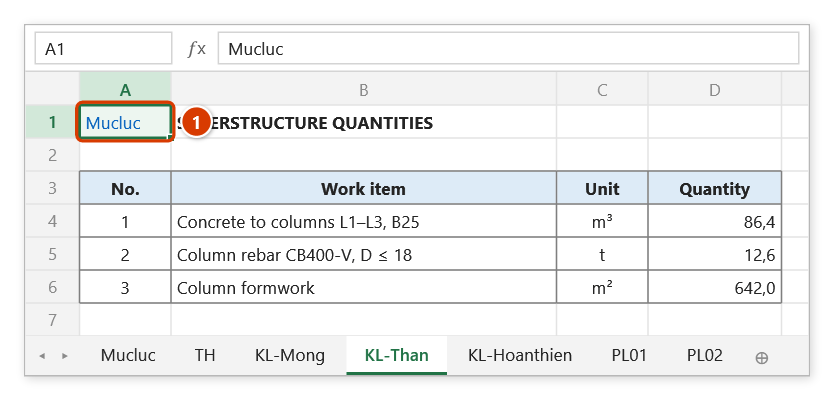
Step 6. On every sheet, cell A1 is now a Mucluc link (1) — click it to return to the index.
Example
A progress payment file for one contract package holds 34 sheets: TH, KL-Mong, KL-Than, KL-Hoanthien, PL01…PL28.
Running the command with the default A1 back-link produces a Mucluc sheet listing all 34 rows, with the Sheet Name column hyperlinked — clicking KL-Than jumps straight there, and cell A1 of KL-Than carries a link back to the index. The right-hand table is where you enter work codes for the sheets that must be printed, feeding the print-by-code command.
Notes
- Only visible sheets are listed; hidden sheets do not appear in the index.
- Re-running the command refreshes Mucluc — columns A:B from row 5 down are cleared and rewritten; the columns you fill in yourself (C, D, F, G) are kept.
- The back-link overwrites the contents of the chosen cell on every sheet, so pick an empty cell if your
A1is already in use. - With the hyperlink checkbox cleared, the index is a plain text list of sheet names with no two-way navigation.
- When Mucluc already exists, the add-in backs up that sheet only: Ctrl+Z right after the command puts Mucluc back as it was; see Restore data. The back-link cells written on every other sheet (and a Mucluc sheet created on the first run) cannot be undone with Ctrl+Z.
Related
- Join Text — joins several sheet names into an
A+B+Cstring to fill the Sheets to Print column. - Create Hyperlink — single links when a whole index is overkill.
- Navigation — browse sheets without generating an index sheet.
- Sheet Numbering — number sheet names first so the index lists them in order.